If you've spent any time looking into running a Minecraft server, you've probably come across SpigotMC. It shows up in plugin descriptions, hosting panel dropdowns, and just about every server tutorial online. But what actually is it, and should you be using it?
Spigot is modified Minecraft server software that adds plugin support and performance optimisations on top of the vanilla server. It's maintained by the SpigotMC team and has been one of the most widely used server platforms in the Minecraft community for over a decade.
In this guide, we'll cover what Spigot does, how it fits into the wider server software ecosystem, the configuration files you'll work with, essential plugins, and how it compares to alternatives like Paper and Forge.
SpigotMC Quick Reference
| Detail | Info |
|---|---|
| What it is | Modified Minecraft server software with plugin support and performance optimisations |
| Based on | CraftBukkit (which is based on the vanilla Minecraft server) |
| Maintained by | The SpigotMC team (led by md_5) |
| Latest supported version | Minecraft 26.1.2 (as of April 2026) |
| Plugin compatibility | Bukkit and Spigot plugins |
| Config files | server.properties, bukkit.yml, spigot.yml |
| Cost | Free |
| Where to get it | Via BuildTools from spigotmc.org |
| Website | spigotmc.org |
How Spigot Fits Into the Minecraft Server Ecosystem
To understand Spigot, it helps to understand the chain of server software that came before it.
The vanilla Minecraft server is what Mojang provides. It runs the game, but it doesn't support plugins and has limited configuration options. If you want to add commands, permissions, minigames, or any kind of server-side customisation, you need modified server software.
CraftBukkit was the first widely used modification that added plugin support. It allowed server owners to install Bukkit plugins, which opened up server customisation in a way that vanilla never could. CraftBukkit is still updated today by the Spigot team, but it's considered a legacy base and isn't recommended for production servers.
Spigot is a fork of CraftBukkit. It includes everything CraftBukkit offers but adds performance optimisations, bug fixes, and additional configuration options. Spigot made it possible for large multiplayer servers to run efficiently on modest hardware, which is why it became the standard for years.
Paper (formerly PaperSpigot) is a fork of Spigot that pushes optimisations even further. It patches exploits, fixes gameplay inconsistencies, and adds more configuration options. Paper is the most widely used plugin server software today, and all Spigot plugins work on Paper without modification.
Purpur is a fork of Paper that adds even more configuration options, like rideable mobs and custom mob behaviour. It's Paper with extra toggles for server owners who want more granular control.
Folia is a Paper fork that splits the world into parallel regions for multi-threaded processing. It's designed for very large servers, but it breaks compatibility with many plugins and isn't a drop-in replacement.
The key thing to understand is that each project builds on the one before it. Paper includes everything Spigot has. Spigot includes everything CraftBukkit has. Plugins written for Bukkit work on Spigot, and plugins written for Spigot work on Paper.
What Spigot Actually Does
The vanilla Minecraft server is designed to be functional, not optimised. Spigot addresses this with a set of performance improvements and configuration options that give server owners more control over how their server behaves.
Performance Optimisations
Spigot includes optimisations that reduce CPU and memory usage compared to vanilla and CraftBukkit. These are some of the specific improvements:
- Entity activation ranges - Entities far from players are ticked less frequently, reducing CPU usage without a noticeable gameplay difference.
- Item and XP merge radius - Dropped items and experience orbs within a configurable range are merged together, reducing the number of entities the server needs to track.
- Chunk tick throttling - Controls how many chunks are processed for growth (crops, trees, etc.) per tick, allowing you to balance growth speed against server load.
- Hopper optimisations - Hoppers are one of the most performance-intensive blocks in Minecraft. Spigot includes options to reduce their impact.
- Entity tracking ranges - Controls the distance at which entities become visible to players. Lowering these values saves bandwidth and reduces client-side lag.
- Configurable mob spawning - Fine-tune spawn rates and limits to prevent mob overcrowding.
Configuration and Customisation
Beyond raw performance, Spigot gives you access to settings that vanilla doesn't expose. You can customise error messages, control view distance per-world, adjust movement thresholds, configure tab completion behaviour, and much more. These settings are managed through dedicated configuration files, which we'll cover in the next section.
Plugin Support
This is the primary reason most server owners use Spigot (or one of its forks) instead of vanilla. Spigot supports the Bukkit plugin API, which means you can install thousands of community-made plugins to add features like economy systems, permissions, teleportation, anti-cheat, custom games, and more - all without requiring players to install anything on their client.
Spigot Configuration Files Explained
When you run a Spigot server, you'll work with three main configuration files. Each one controls different aspects of your server.
server.properties
This is the standard Minecraft server configuration file. It handles core settings like the server port, max players, game mode, difficulty, view distance, and world seed. Every Minecraft server has this file, regardless of whether you're running vanilla, Spigot, or Paper.
bukkit.yml
This file is inherited from CraftBukkit and controls plugin-related settings, spawn limits for different mob categories, chunk garbage collection, and auto-save intervals. Most of the defaults are fine for small servers, but larger servers may want to adjust mob spawn limits here.
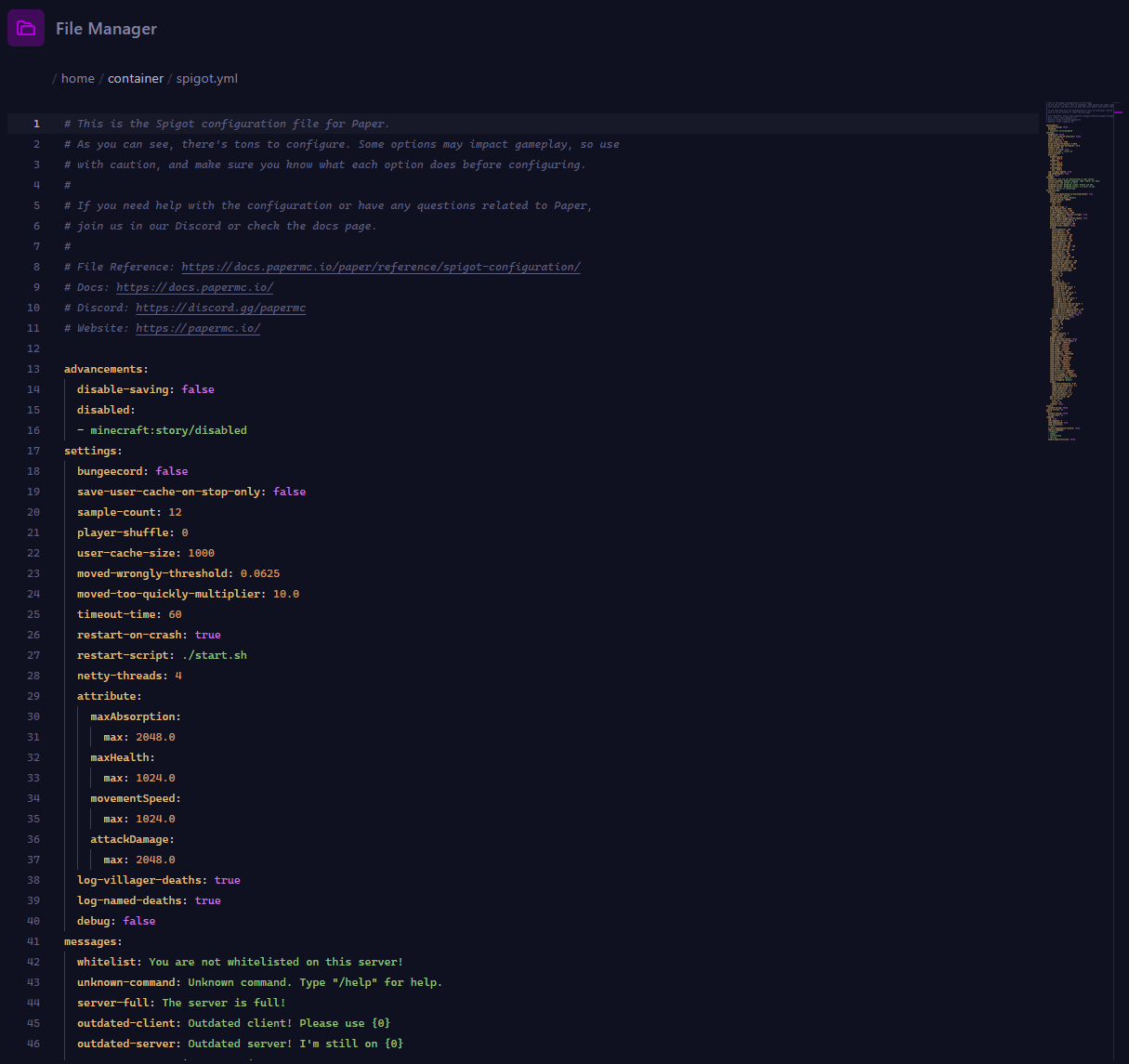
spigot.yml
This is the Spigot-specific configuration file and where most of the performance tuning happens. It works alongside bukkit.yml and contains settings that let you fine-tune server behaviour.
Here are the most impactful settings:
| Setting | Default | What It Does |
|---|---|---|
| view-distance | default (reads server.properties) | Controls how far players can see. Can be set per-world. Lower values reduce chunk loading. |
| mob-spawn-range | 8 | The range in chunks around players where mobs can spawn. |
| entity-activation-range | players: 48, animals: 48, monsters: 32, misc: 16 | Entities outside this range (in blocks) are ticked less frequently. |
| entity-tracking-range | players: 48, animals: 48, monsters: 48, misc: 32 | The range in blocks at which entities become visible to clients. |
| merge-radius (item) | 2.5 | How close items need to be (in blocks) to merge into a stack. |
| merge-radius (exp) | 3.0 | How close XP orbs need to be (in blocks) to merge together. |
| item-despawn-rate | 6000 | Ticks before a dropped item disappears (6000 = 5 minutes). |
| max-entity-collisions | 8 | Limits collision calculations per entity per tick. Helps with mob farms. |
| hopper-amount | 1 | Items moved per hopper per tick. Higher = faster but more CPU usage. |
These settings can be applied globally or per-world by adding world-specific sections under world-settings in the file.
Spigot Plugins: How They Work
One of the most common points of confusion for new server owners is the difference between plugins and mods. They're both ways to modify Minecraft, but they work very differently.
Plugins (Bukkit/Spigot) run entirely on the server. They use the Bukkit API to interact with the game, which means players don't need to install anything on their end. When a player joins a Spigot server, their vanilla Minecraft client works fine. Plugins can add commands, modify gameplay rules, create economy systems, manage permissions, and more - all server-side.
Mods (Forge/Fabric) modify the game code itself. They can add new blocks, items, dimensions, and mechanics that don't exist in vanilla Minecraft. Because they change the game at a deeper level, players usually need to install the same mods on their client to connect to a modded server.
Spigot plugins are distributed as .jar files. To install one, you drop it into the plugins folder in your server directory and restart the server. Most plugins generate their own configuration files inside the plugins folder, which you can edit to customise their behaviour.
Essential Spigot Plugins
These are some of the most widely used plugins across Spigot and Paper servers:
| Plugin | What It Does |
|---|---|
| EssentialsX | Core server commands - /home, /warp, /spawn, /tpa, kits, and more. A foundation plugin for most servers. |
| LuckPerms | Permissions management. Set up groups (admin, moderator, member) and control exactly what each group can do. |
| Vault | An API that connects economy, permissions, and chat plugins together. Many plugins depend on it. |
| WorldEdit | In-game world editing tool. Select regions and fill, replace, copy, or paste blocks. |
| WorldGuard | Region protection. Define areas (like spawn) that players can't break or build in. |
| CoreProtect | Block logging and rollback. See who placed or broke every block, and undo griefing with a command. |
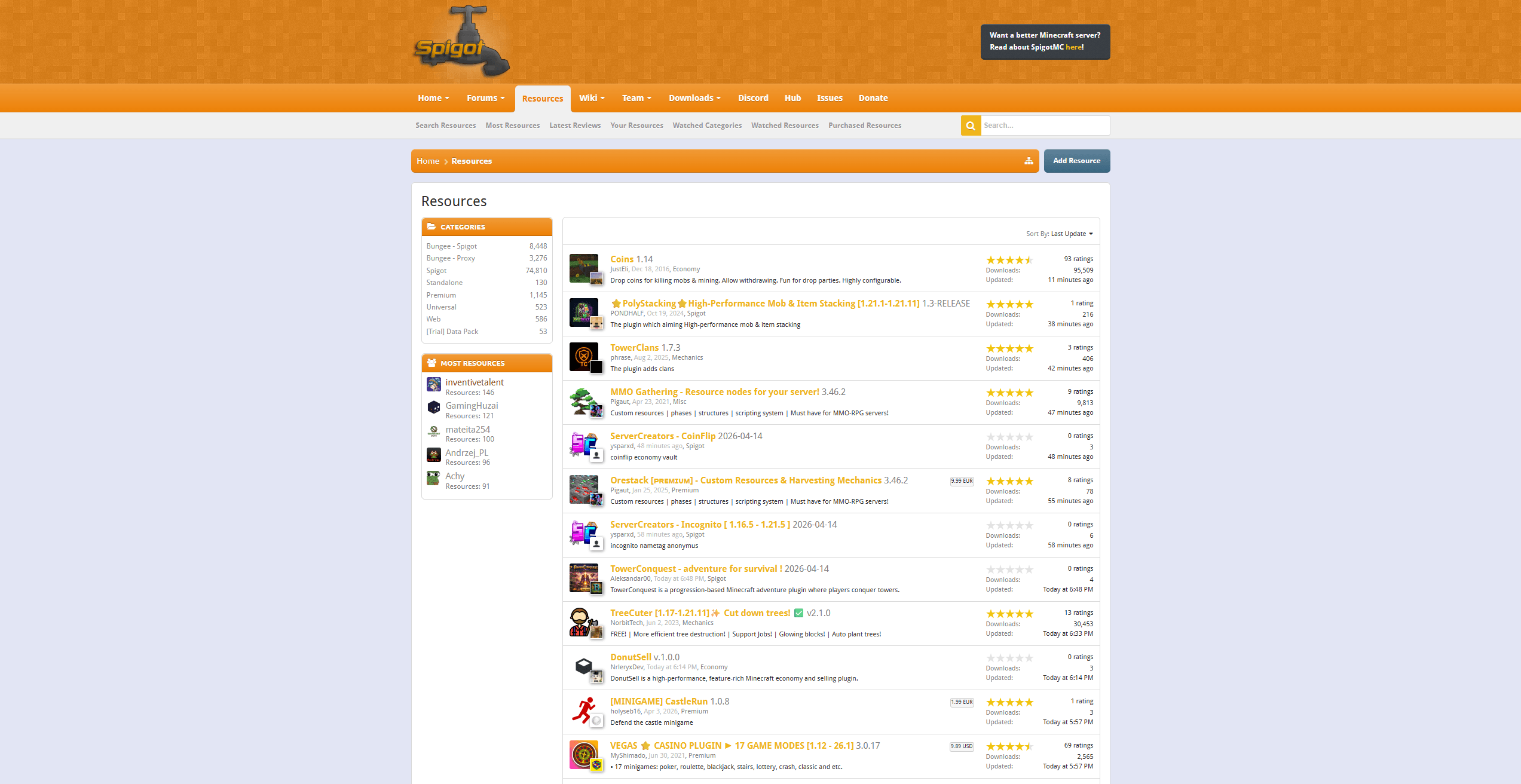
The SpigotMC website hosts a resource section where you can browse and download thousands of free and premium plugins. You can find it at spigotmc.org/resources.
Spigot vs Paper: Which Should You Use?
This is the most common question server owners ask when choosing server software. The short answer: Paper is the better choice for most servers. But there are situations where Spigot still makes sense.
| Feature | Spigot | Paper |
|---|---|---|
| Performance | Good (improved over vanilla) | Better (additional optimisations on top of Spigot) |
| Plugin compatibility | Bukkit + Spigot plugins | Bukkit + Spigot + Paper plugins |
| Exploit patching | Some | Extensive (TNT duping, sand duping, bedrock breaking patched by default) |
| Configuration options | server.properties, bukkit.yml, spigot.yml | All of Spigot's files + paper-global.yml and paper-world-defaults.yml |
| Vanilla mechanics | Closer to vanilla behaviour | Some vanilla exploits/quirks patched by default (configurable) |
| Update speed | Consistent | Typically faster stable builds for new MC versions |
| Community size | Large | Larger (estimated 10x+ more servers use Paper than Spigot) |
When to use Paper
For the majority of servers - survival, SMP, minigames, creative, or anything plugin-based - Paper is the better option. It performs better, gets more frequent updates, patches exploits by default, and runs every Spigot plugin without changes.
When to use Spigot
There are a few specific cases where Spigot might be the better fit:
- Technical Minecraft servers - If your community relies on vanilla mechanics like TNT duplication, sand duplication, or bedrock breaking, Spigot preserves these by default. Paper patches them (though you can re-enable them via config).
- Legacy plugin compatibility - Some older or poorly-maintained plugins that rely on Spigot internals may behave differently on Paper. This is increasingly rare, but it's worth testing if you depend on a specific plugin.
- Vanilla-adjacent behaviour - If you want server behaviour as close to vanilla as possible while still having plugin support, Spigot changes less than Paper does.
If you're starting a new server and don't have a specific reason to choose Spigot, go with Paper.
Spigot vs Forge and Fabric
Another common question is how Spigot compares to Forge or Fabric. The answer is that they serve completely different purposes.
| Spigot/Paper | Forge/Fabric | |
|---|---|---|
| Purpose | Plugin server (server-side modifications) | Mod loader (client + server modifications) |
| Client requirements | Vanilla Minecraft client works | Players must install the mod loader + mods |
| What it can add | Commands, permissions, economy, minigames, chat features, world protection | New blocks, items, dimensions, mobs, gameplay mechanics |
| Customisation scope | Server-side only | Full game modification |
| Use case | SMP servers, minigame networks, communities | Modded survival, modpack servers (ATM10, RLCraft, etc.) |
If you want to run a plugin server where players join with a vanilla client, use Spigot or Paper. If you want to run a modded server with modpacks, use Forge or Fabric. They're different tools for different jobs - not competitors.
It's worth noting that some projects like Mohist and Arclight attempt to combine Forge with Spigot plugin support, but these hybrid solutions come with compatibility trade-offs and aren't recommended for production servers.
How to Install Spigot on a Minecraft Server
Unlike Paper (which provides a direct download), Spigot requires you to compile the server JAR yourself using a tool called BuildTools. This is due to copyright requirements - the Spigot team cannot distribute the compiled JAR directly because it contains Mojang's server code.
Using a Hosting Provider
If you're using a Minecraft hosting provider, you almost certainly don't need to worry about BuildTools. Most hosts provide Spigot (and Paper) as a one-click option in their server panel. Select it from the JAR dropdown, and the host handles the rest.
Compiling with BuildTools
If you're running a server on your own hardware or a VPS, you'll need to compile Spigot yourself:
- Install Java - The required Java version depends on your target Minecraft version:
| Minecraft Version | Required Java Version |
|---|---|
| 1.16.5 and below | Java 8 or Java 11 |
| 1.17 - 1.17.1 | Java 16 |
| 1.18 - 1.20.4 | Java 17 |
| 1.20.5 - 1.21.x | Java 21 |
| 26.1+ | Java 25 |
- Install Git - Required for BuildTools to fetch source code. Download from git-scm.com on Windows. Most Linux distributions include it by default.
- Download BuildTools - Get the latest BuildTools.jar from hub.spigotmc.org. SpigotMC also offers a GUI version.
- Run BuildTools - Open a terminal in the folder containing BuildTools.jar and run:
java -jar BuildTools.jar --rev latest
To compile for a specific version, replace latest with the version number:
java -jar BuildTools.jar --rev 1.21.4
- Start your server - Once BuildTools finishes, you'll have a
spigot-X.X.X.jarfile. Create a start script:
Windows (start.bat):
@echo off
java -Xms2G -Xmx2G -jar spigot-26.1.2.jar nogui
pause
Linux/Mac (start.sh):
#!/bin/sh
java -Xms2G -Xmx2G -jar spigot-26.1.2.jar nogui
Replace 2G with your desired RAM allocation. On first run, you'll need to accept the EULA by changing eula=false to eula=true in the generated eula.txt file.
Frequently Asked Questions
What is SpigotMC?
SpigotMC is a project that produces modified Minecraft server software called Spigot. It's a fork of CraftBukkit that adds performance optimisations, bug fixes, and configuration options while maintaining full support for Bukkit plugins. The SpigotMC website also hosts a large community forum and a plugin resource section.
Is Spigot free?
Yes. Spigot is free and open source. You compile it yourself using BuildTools, which is also free. There are no licensing fees or usage restrictions.
Is Spigot better than Paper?
For most servers, Paper is the better choice. It includes all of Spigot's features plus additional performance optimisations, exploit patches, and configuration options. Spigot is still a solid option if you need exact vanilla mechanics or have a legacy plugin that doesn't work on Paper.
Can I use Bukkit plugins on Spigot?
Yes. Spigot is fully backwards-compatible with Bukkit plugins. Any plugin designed for Bukkit will work on Spigot without modification.
What Java version does Spigot need?
It depends on your Minecraft version. Minecraft 26.1 and newer requires Java 25. Minecraft 1.20.5 through 1.21.x requires Java 21. Minecraft 1.18 through 1.20.4 requires Java 17. Older versions typically need Java 8 or Java 16.
What is the difference between Spigot and Forge?
Spigot is for server-side plugins that don't require any client modifications. Forge is a mod loader that adds new content (blocks, items, mobs, dimensions) and requires players to install the same mods on their client. They serve different purposes and are used for different types of servers.
Do I need to use BuildTools?
If you're self-hosting, yes. Due to copyright requirements, the compiled Spigot JAR cannot be distributed directly. BuildTools compiles it from source on your machine. If you're using a hosting provider, they handle this for you.
Can I switch from Spigot to Paper?
Yes. Paper is a drop-in replacement for Spigot. You can swap the server JAR, keep your existing worlds and plugins, and everything will work. Paper generates its own additional configuration files, but it reads your existing Spigot configuration without issues.
Getting Started with SpigotMC
Spigot is the server software that made plugin-based Minecraft servers possible at scale. While Paper has since taken over as the most popular option for new servers, Spigot remains a well-maintained and capable platform with a large community and ecosystem behind it.
If you're setting up a plugin server, start with Paper. If you have specific requirements that need Spigot's closer-to-vanilla behaviour, it's still a reliable choice. Either way, you'll be using the Bukkit/Spigot plugin ecosystem, which means thousands of plugins are available to customise your server however you want.
Need a server that handles plugins without breaking a sweat? Same features on every plan - you're just paying for RAM. View our plans and get your server running in minutes.